How customers opt in to text messages
This page shows exactly how a customer of a shop using PayHub POS agrees to receive text messages, what they are shown when they agree, and how they stop. It is here for anyone who wants to check that — a carrier reviewing our registration, a shop owner, or a customer who wants to know what they said yes to.
The messages are sent by First Global Merchants, LLC d/b/a PayHub on behalf of the independent shop the customer ordered from. Every message names that shop.
The short version
- Opt-in is an explicit checkbox that is never ticked for the customer. It is separate from the phone number field.
- Leaving it unticked does not stop the order. The number is still needed to make and collect the order; no texts are sent and no consent is recorded.
- The disclosure sits directly under the box: how many messages, that rates may apply, how to stop, how to get help, and links to the SMS Terms and the Privacy Policy.
- Marketing is a second, separate box, also unticked, and never a condition of purchase.
- At the counter there is no box: the cashier asks out loud, from a script on their screen, and the customer's answer is the consent.
- Every agreement is stored with the date, the screen it came from, how it was given, and the exact words that were on that screen.
The exact wording
The box:
Text me updates about this order
Directly under it, in full:
Msg frequency varies (usually 1-3 per order). Msg & data rates may apply. Reply STOP to cancel, HELP for help. SMS Terms · Privacy
("SMS Terms" and "Privacy" are links to the two pages linked at the bottom of this one.)
The separate marketing box, also unticked by default:
Yes, also text me offers, news and review requests from the shop you ordered from. Up to 4 msgs/month. Consent is not a condition of purchase. Msg & data rates may apply. Reply STOP to cancel. SMS Terms
Where it appears
The shop in these screenshots is a sample shop with a sample menu, used so that no real shop's name, address or menu appears on a public page. Tap any screenshot to open it full size.
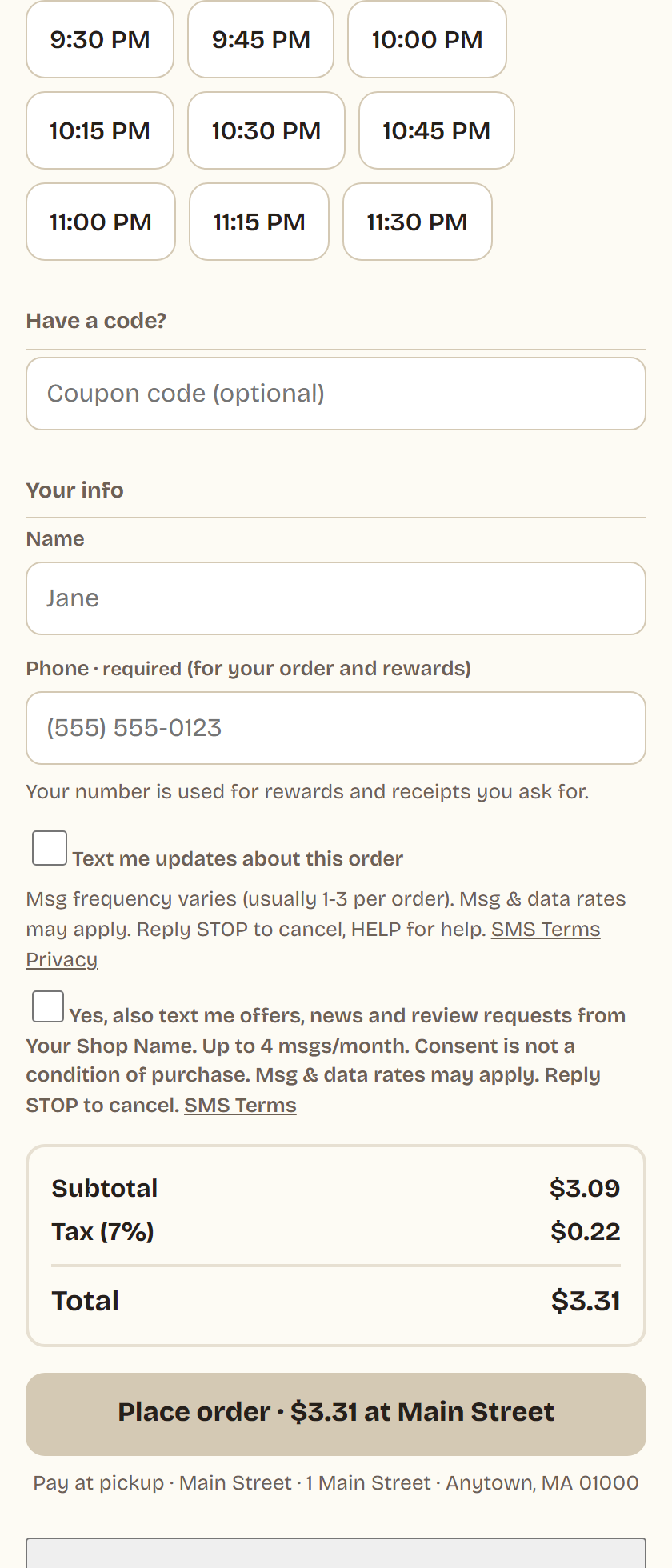
Online ordering
The box is under the phone field on the checkout form. The order can be placed with it unticked.
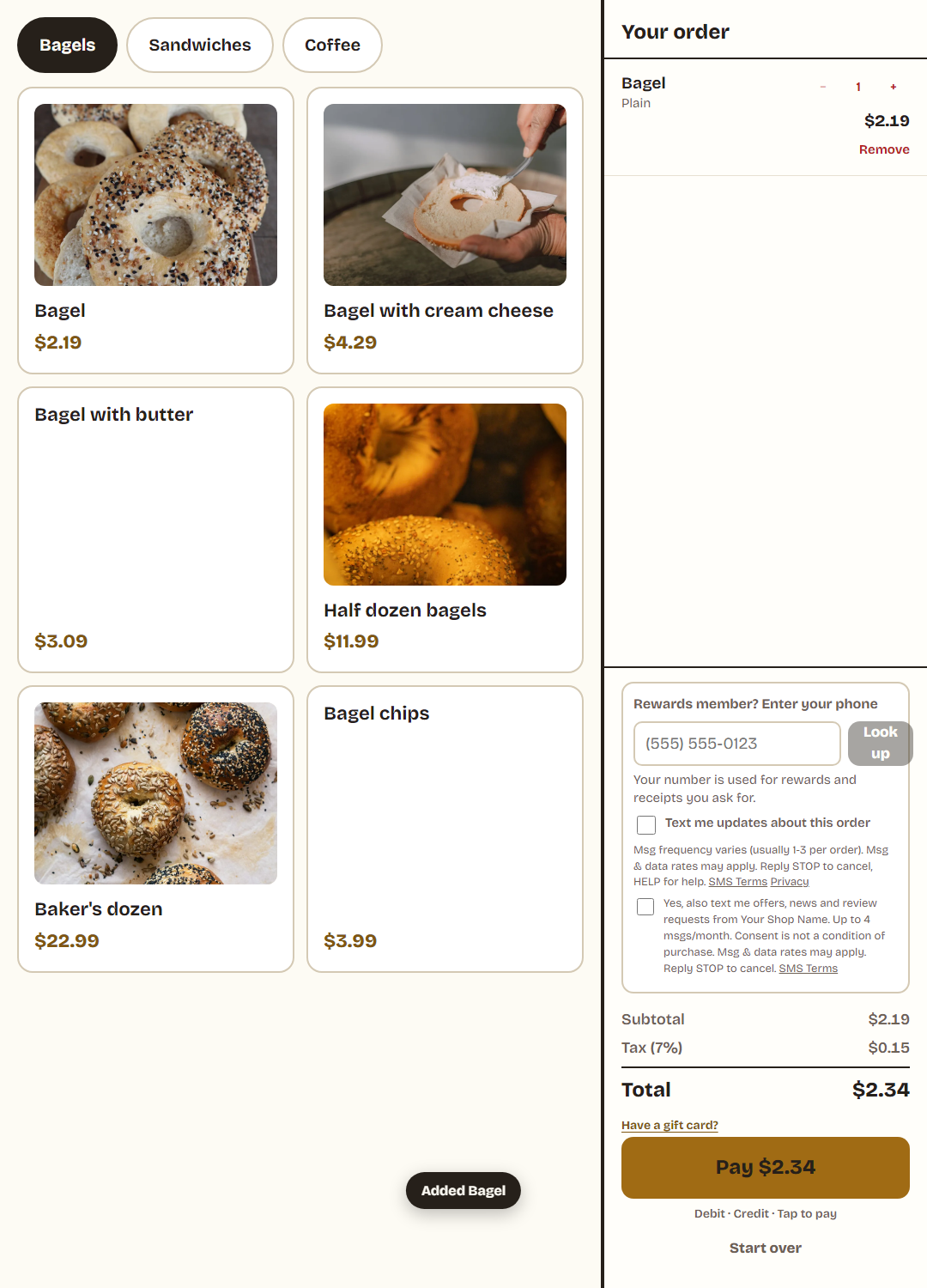
Kiosk in the shop
The same box, on the kiosk's own screen, where the customer enters their own number.
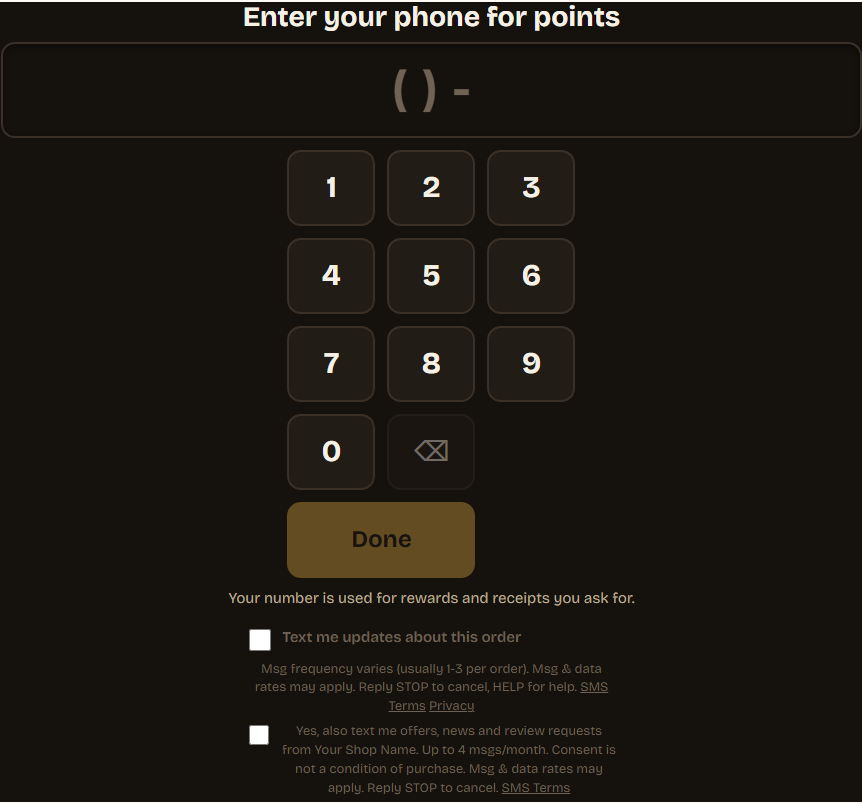
Customer-facing display at the counter
The screen that faces the customer while the cashier rings the order. The customer types their own number and ticks their own box. This is the panel they type into, at the size it is on the glass; the rest of that screen is the ticket being rung.
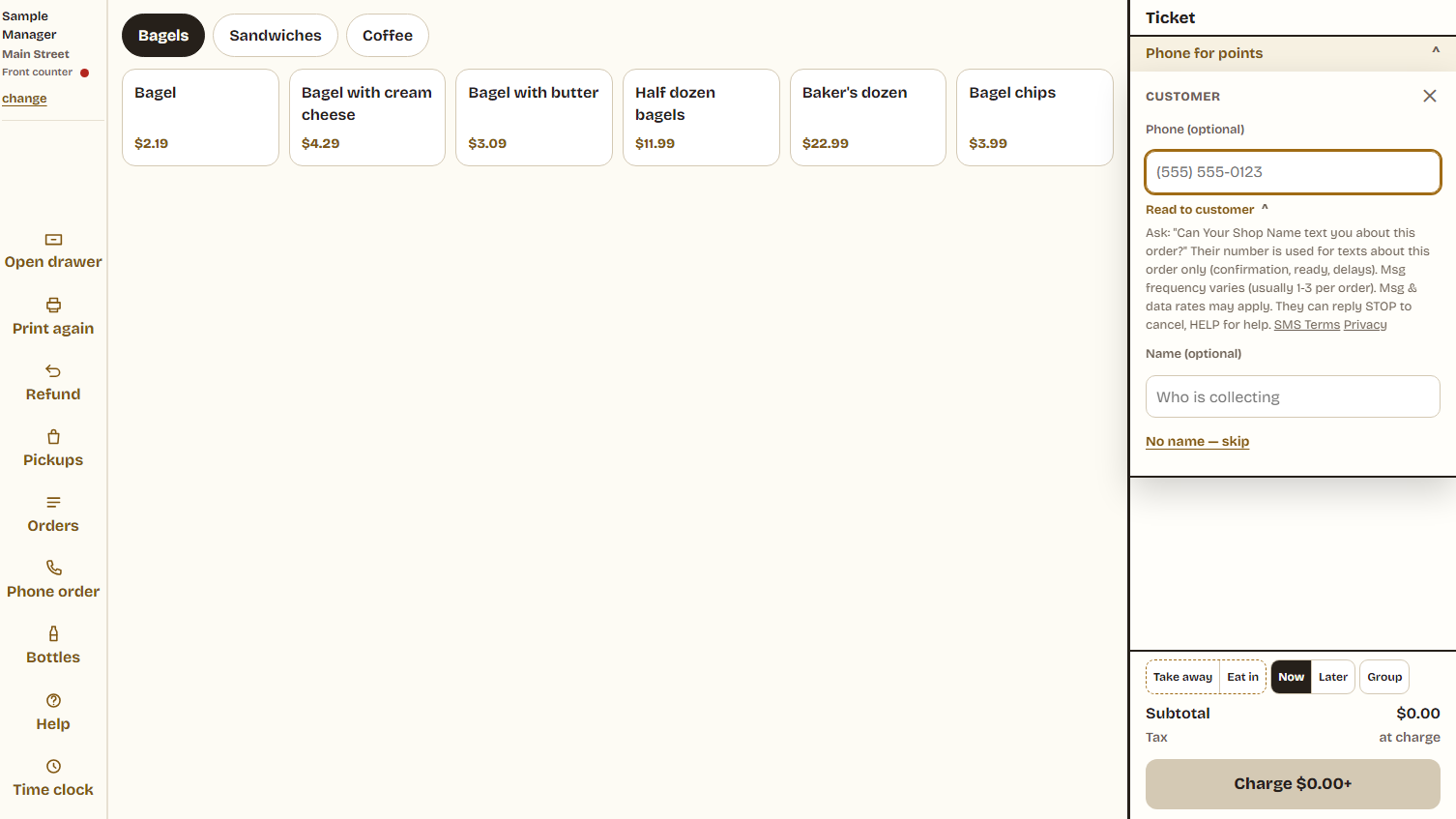
The counter, with no screen facing the customer
There is no checkbox here, because a box ticked by a member of staff on somebody's say-so is not evidence of anything. The cashier reads the script their own screen shows them, and the customer answers out loud:
Ask: "Can the shop you ordered from text you about this order?" Their number is used for texts about this order only (confirmation, ready, delays). Msg frequency varies (usually 1-3 per order). Msg & data rates may apply. They can reply STOP to cancel, HELP for help. SMS Terms · Privacy
What is sent
Only messages about an order the customer placed: that it was received, that it is ready, that it is running late, that it was canceled, or a payment link they asked for. Typically one to three messages per order. The first message in each order carries the opt-out line.
Shops cannot write the text of a message. Every message comes from a fixed set of templates held in our code; a shop chooses which triggers are on and nothing else. The full list is published in our SMS Terms.
Stopping, and getting help
- STOP (also STOPALL, UNSUBSCRIBE, CANCEL, END, QUIT) to any message stops all further messages to that number. One confirmation is sent and then nothing else.
- HELP to any message returns the shop's name, what the messages are, and where to get help.
- START resubscribes.
- Opting out is recorded against the phone number across the whole platform, not only for the shop that was texting.
Who to contact
First Global Merchants, LLC d/b/a PayHub
720 Hopmeadow Street, Suite 101, Simsbury, CT 06070
everything@payhubpos.com
860-508-2327
For a question about a specific order, the fastest answer is the shop it was placed with.
Version 2026-11-06.